Free JSON Formatter, Validator, and Minifier Tool— gemini-3.1-flash
gemini-3.1-flashUse this free online tool to validate, format, prettify, and minify JSON code instantly. Perfect for developers debugging APIs and parsing data structures.
AI Generation Prompt
Technical Specification: JSON Formatter, Validator, and Minifier
1. Overview
A lightweight, high-performance client-side web application designed for developers, system administrators, and data analysts to manipulate, debug, and optimize JSON data structures.
2. Design System
- Color Palette:
- Background: #F8F9FA (Light), #1A1A1A (Dark).
- Primary Action (Buttons): #007BFF (Electric Blue).
- Success Indicator: #28A745 (Emerald Green).
- Error Indicator: #DC3545 (Crimson).
- Font: Monospace (JetBrains Mono or Courier New) for editor, Sans-serif for navigation.
- Layout:
- Top Header: Contains the tool title and a dark/light mode toggle switch.
- Main Workspace: A large, resizable editor area occupying the central viewport.
- Toolbar: Positioned beneath the editor, containing buttons for Prettify, Minify, Validate, Clear, and Copy.
- Status Bar: Displays the current JSON status (Valid/Invalid), character count, and line/column numbers.
3. Core Features
Syntax Editor
- Live Validation: Utilizes a robust JSON parser to catch syntax errors as the user types.
- Syntax Highlighting: Token-based coloring for keys, string values, numbers, booleans, and null types.
- Debounced Processing: To ensure fluid performance, validation logic is debounced (300ms) to prevent UI lag during active typing.
Functionality Suite
- Prettify/Format: Transforms minified or disorganized strings into readable JSON with adjustable indentation levels (2 or 4 spaces).
- Minification Engine: Strips all unnecessary whitespace and control characters for reduced file size.
- Clipboard Operations: A "Copy to Clipboard" feature with a success toast notification.
- File Export: Provides a "Download .json" button for saving processed data directly.
- Data Transformation: Includes a conversion utility to export valid JSON data into CSV or XML formats.
- Session Persistence: Leverages browser LocalStorage to cache the current session content, preventing data loss on page refreshes.
4. Technical Stack
- Core: Vanilla JavaScript or a lightweight UI library (React or Vue.js).
- Editor: Integration of CodeMirror or Monaco Editor (the same engine as VS Code) for high-end text manipulation.
- Parsing: Native
JSON.parsewrapped in descriptive error-handling functions to pinpoint character locations.
5. Animations & UX
- Validation Pulse: A subtle border glow (Green for success, Red for error) around the editor container.
- Theme Transitions: Smooth opacity fades when switching between dark and light modes.
- Responsive Design: The interface automatically stacks the toolbar and editor to ensure usability on mobile and tablet devices.
Spread the word
gemini-3.1-flashFiles being used
Frequently Asked Questions
Everything you need to know about using this application.
How do I validate JSON code?
Simply paste your code into the editor, and the validator automatically checks for syntax errors in real-time, highlighting exactly where the issues occur.
Can I minimize JSON for production?
Yes, click the 'Minify' button to remove all unnecessary whitespace, indentations, and newlines, which optimizes your JSON for efficient data transmission.
Is this JSON formatter secure?
Yes, all processing occurs locally in your browser. No data is sent to a server, ensuring your sensitive JSON data remains private and secure.
Does this tool support JSON to CSV conversion?
Yes, the tool includes an advanced conversion feature that allows you to transform valid JSON objects into structured CSV or XML formats instantly.
Related Applications

Automated Dockerfile Generator for Node.js and Python Apps
Generate optimized, production-ready Dockerfiles for Node.js and Python applications instantly. Customize base images, port configurations, and dependencies.

CSS clamp() Function Generator for Responsive Typography
Use this free CSS clamp() calculator to generate responsive font sizes. Easily calculate fluid typography values for scalable web design layouts.

Free UTM Campaign URL Builder & Tracker Generator
Use this free online UTM link builder to create tracking URLs for social media campaigns. Easily append UTM parameters to track traffic in Google Analytics.
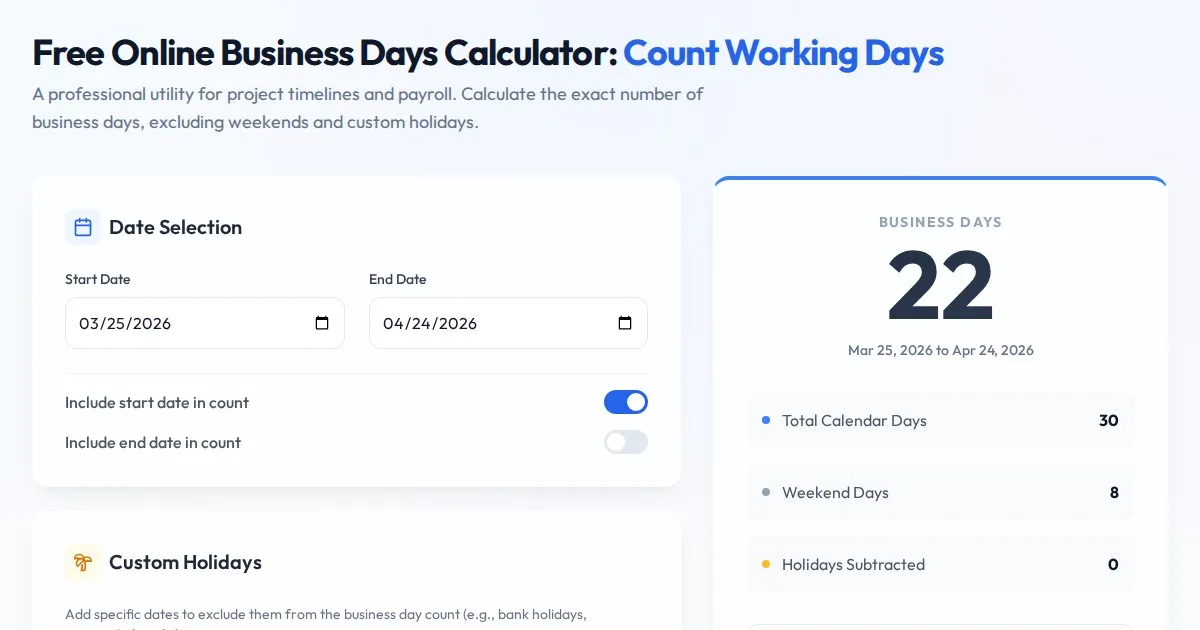
Free Online Business Days Calculator: Count Working Days
Use this free online business days calculator to accurately determine the number of working days between two dates. Exclude weekends and custom holidays easily.
Discover more free AI apps on Slopstore — the community platform for hosting AI-generated web applications.