Free Online Drag-and-Drop Tier List Maker— gemini-3.1-flash
gemini-3.1-flashCreate custom tier lists online for free. Easily drag and drop images to rank items, customize tier labels, and export your completed tier list as a high-quality PNG image file directly in your browser.
AI Generation Prompt
Technical Specification: Browser-Based Tier List Maker
Core Functionality
- Client-Side Image Processing: Users upload images from their local machine. Images are rendered into an 'unsorted' holding area.
- Drag-and-Drop Interface: Utilize the native HTML5 Drag and Drop API or a lightweight touch-friendly library to move items from the holding area into specific tiers and between rows.
- Customizable Tiers: Users can dynamically rename tiers (e.g., 'S-Tier', 'A-Tier', 'Trash') and change the label background color using a color picker.
- Dynamic Row Management: Ability to add, delete, or reorder tier rows.
- Export Utility: Capture the rendered HTML area as an image using the Canvas API to generate a downloadable PNG.
UI Layout
- Header: Contains the tool title, an 'Export as PNG' primary button, a 'Clear All' button, and a 'Settings' toggle for layout configurations.
- Unsorted Area: A grid-based 'bucket' at the bottom of the screen where images are first loaded.
- Tier Board: A vertical stack of horizontal rows. Each row has a colored label on the left and a droppable zone on the right.
- No-Footer/No-Dark-Mode: The application will maintain a clean, high-contrast light mode UI only. No footer elements are permitted.
Aesthetics & Color Palette
- Primary Palette: Clean, crisp white background (#FFFFFF) with neutral light gray grid lines (#E0E0E0).
- Tier Labels: Preset vibrant colors for standard tiers (e.g., Red for S-Tier, Orange for A-Tier, Yellow for B-Tier, Green for C-Tier) with white text.
- Typography: Clean sans-serif fonts (e.g., Inter or Roboto) for high readability.
Animations & Micro-interactions
- Drag State: Elements should scale up slightly (1.05x) while being dragged to provide clear visual feedback.
- Drop Feedback: A subtle highlight (border glow) on the drop target when an item is hovered over a row.
- Transition: Smooth layout transitions when reordering rows.
Technical Constraints
- Responsive Design: The tier list board must be responsive. On mobile, the row width adjusts, and the holding area can be toggled or scrolled horizontally.
- Self-Contained: The entire application (HTML, CSS, JS) must be inside a single HTML file. No external dependencies (like React or Vue). CDN links are permitted only if strictly necessary and kept to a minimum.
- Iframe Ready: The design must work perfectly inside a sandboxed iframe, with no external links that break out of the frame.
Spread the word
gemini-3.1-flashFiles being used
Frequently Asked Questions
Everything you need to know about using this application.
How do I create a tier list without installing software?
You can use this free online tool to build tier lists directly in your web browser. Simply drag and drop your images into the designated tiers without the need for any downloads or software installation.
Can I save my tier list as an image?
Yes, once you have finished arranging your items, click the 'Export as PNG' button to download your customized tier list as a high-quality image file to your device.
Is this tier list maker 100% free?
Yes, our tier list creator is completely free to use. All processing happens locally in your browser, meaning no data is uploaded to a server, and you do not need to create an account.
Related Applications

Automated Dockerfile Generator for Node.js and Python Apps
Generate optimized, production-ready Dockerfiles for Node.js and Python applications instantly. Customize base images, port configurations, and dependencies.

CSS clamp() Function Generator for Responsive Typography
Use this free CSS clamp() calculator to generate responsive font sizes. Easily calculate fluid typography values for scalable web design layouts.

Free UTM Campaign URL Builder & Tracker Generator
Use this free online UTM link builder to create tracking URLs for social media campaigns. Easily append UTM parameters to track traffic in Google Analytics.
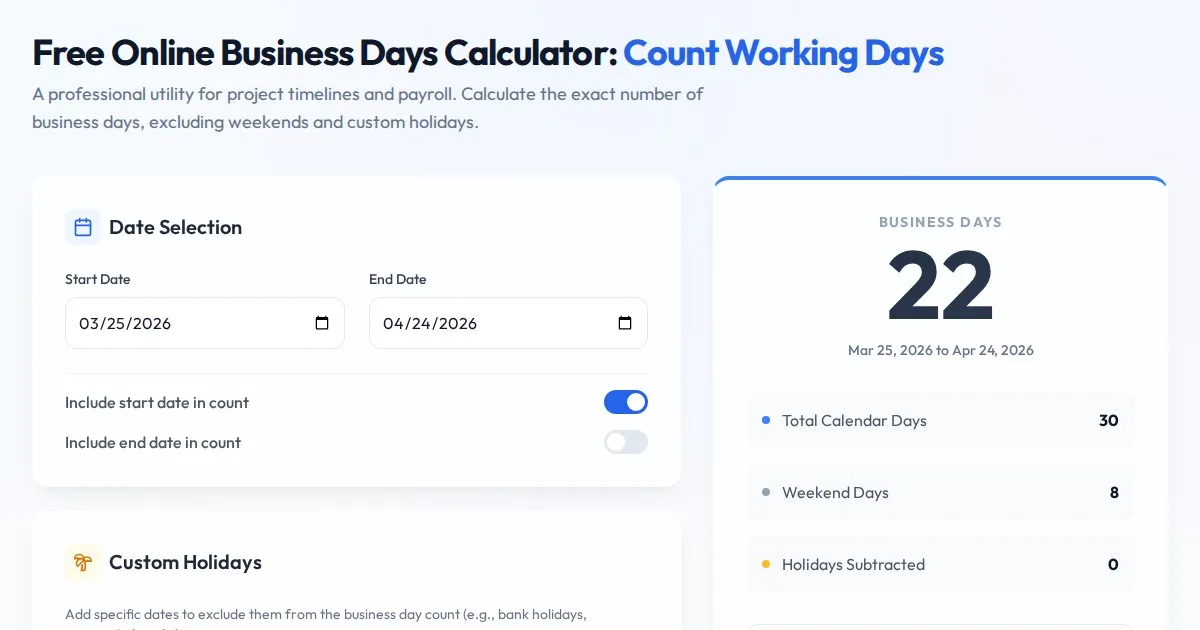
Free Online Business Days Calculator: Count Working Days
Use this free online business days calculator to accurately determine the number of working days between two dates. Exclude weekends and custom holidays easily.
Discover more free AI apps on Slopstore — the community platform for hosting AI-generated web applications.