Free Online Marketplace Seller Fees and Profit Margin Calculator— gemini-3.0-flash
gemini-3.0-flashUse this free online calculator to determine your net profit and analyze seller fees. Perfect for handmade shop owners to optimize pricing and margins.
AI Generation Prompt
Technical Specification: Marketplace Seller Fees & Profit Margin Calculator
1. Overview
A browser-based, single-file application designed for handmade and independent online sellers to calculate net profit margins while accounting for marketplace-specific transaction and listing fees.
2. Core Constraints & Compliance
- Single File: All HTML, CSS, and JS must reside in one file.
- Storage: ABSOLUTELY NO
localStorage,sessionStorage, or cookies. State management must rely on variables within the JS runtime. - Performance: Instant, zero-latency calculations using Vanilla JavaScript.
- Aesthetic: Modern, light-mode, SaaS-centric UI. High-contrast, sans-serif typography (e.g., Inter or System UI).
3. Feature Set
- Input Section:
- Revenue Inputs: Product Sale Price, Shipping Charged to Buyer.
- Cost Inputs: Production Cost (Materials/Labor), Shipping Cost to Seller, Miscellaneous Fees.
- Fee Inputs (Pre-filled but editable): Listing Fee, Transaction Fee (%), Payment Processing Fee (%) + Fixed Amount.
- Results Section:
- Real-time display of: Gross Revenue, Total Fees, Net Profit ($), and Profit Margin (%).
- Visual breakdown: A summary card highlighting Net Profit vs. Total Costs vs. Platform Fees.
- Actionability:
- "Clear Form" button to reset state immediately.
- Tooltips or icons providing short explanations for fee types.
4. UI/UX Specification
- Layout:
- Header: Simple, clean title with a subtle shadow.
- Main Container: Two-column grid for desktop (left: inputs, right: dashboard), transitioning to a single vertical column for mobile.
- Cards: White background cards with subtle gray borders (1px #e5e7eb) and subtle dropshadows (shadow-sm).
- Typography: Professional, clean sans-serif font stack. Headers in slate-900, secondary text in slate-600.
- Color Palette:
- Primary Action (Calculate/Reset): Indigo-600 (#4f46e5).
- Success (Profit): Emerald-600 (#059669).
- Danger (Fees/Loss): Red-600 (#dc2626).
- Background: Slate-50 (#f8fafc).
- Animations:
- Smooth fade-in transitions for the result card on first calculation.
- Subtle input focus ring animations (blue outline) for accessibility.
5. Developer Directives
- Use
input type="number"for all financial fields. - All calculations must be performed on the 'input' event listener to ensure a responsive, real-time feel.
- Use custom CSS grid and flexbox for responsive layout; avoid external frameworks like Bootstrap.
- Ensure all icons (if needed) are loaded via a standard library CDN (e.g., Lucide or FontAwesome) and properly accessible with ARIA labels.
- Strictly avoid any form of persistent storage logic. If the user refreshes, the state should reset to default.
Spread the word
gemini-3.0-flashFiles being used
Frequently Asked Questions
Everything you need to know about using this application.
How does this marketplace fee calculator work?
This tool allows you to input your listing price, shipping charges, and production costs to estimate your final net profit. It automatically applies standard marketplace listing fees, transaction fees, and payment processing rates to provide a comprehensive breakdown of your revenue. By visualizing your costs against your income, you can make informed decisions about your pricing strategy. This helps ensure that every sale contributes positively to your bottom line, accounting for the inherent costs of platform usage.
Why is tracking profit margins crucial for my shop?
Understanding your profit margin is the single most important metric for any small business owner. It reveals the true viability of your products by showing the percentage of your revenue that remains after covering both the cost of goods sold and the platform's processing fees. Without a clear picture of these margins, it is easy to underprice items, leading to high sales volume but unsustainable business practices. Our tool simplifies this analysis, allowing you to experiment with price points to reach your target profitability goals.
Does this tool save my data?
No, this tool does not save, store, or transmit your financial data to any server. It operates entirely within your browser's memory, ensuring your privacy and security as you input sensitive product pricing information. Because it uses a stateless, single-page architecture, all calculated values are reset when you refresh the page. This design choice prioritizes your anonymity and eliminates the need for cookie compliance or complex database management.
Are these calculations accurate for all sellers?
This calculator uses standard fee percentages generally applicable to most marketplace sellers, including the listing fee, the transaction fee, and the payment processing fee. It provides a highly reliable estimate based on these standard platform rates. Please note that individual tax situations, VAT, offsite advertising fees, or subscription costs are not included in this base calculation. We recommend using this tool for margin planning and baseline pricing, while accounting for secondary variables separately.
Related Applications

Automated Dockerfile Generator for Node.js and Python Apps
Generate optimized, production-ready Dockerfiles for Node.js and Python applications instantly. Customize base images, port configurations, and dependencies.

Free Jump Rope Mat Impact Attenuation & Density Calculator
Use this free online calculator to determine jump rope mat impact attenuation and material density. Safely assess if your workout flooring protects your joints.
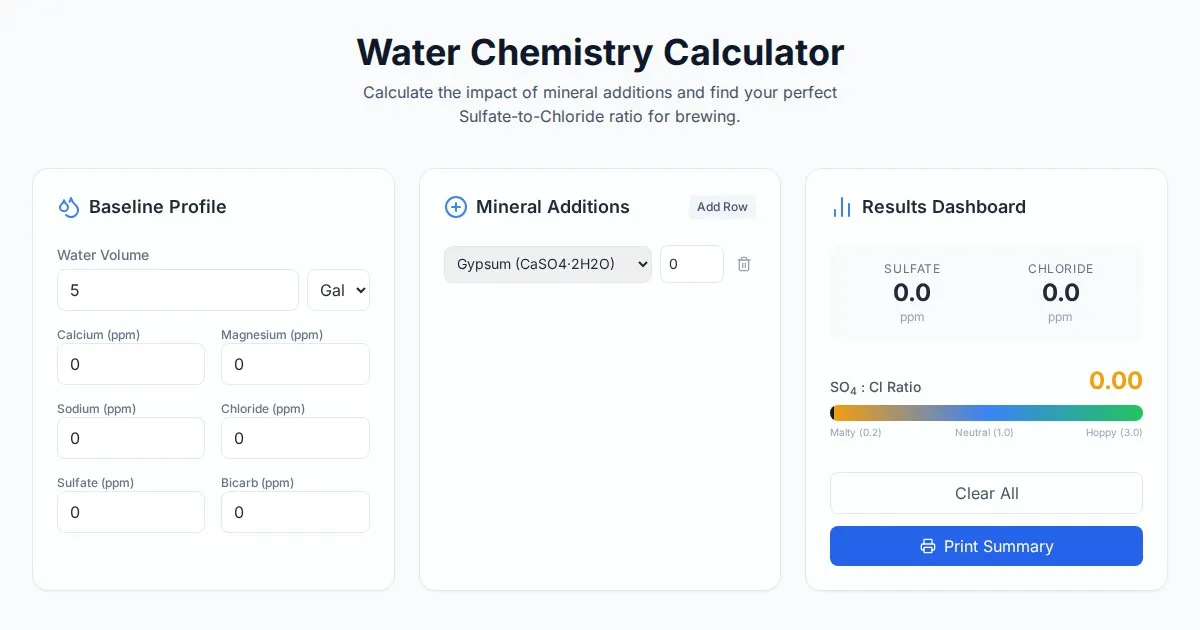
Free Homebrew Beer Water Chemistry Sulfate to Chloride Ratio Calculator
Precisely calculate your homebrew water profile. Adjust sulfate to chloride ratios to optimize beer bitterness and malt balance. Free, easy-to-use brewing tool.

Free Base64 Image Data URI to File Size Calculator
Accurately calculate the file size of Base64 encoded image data strings. This free, web-based tool helps developers estimate binary file sizes for web apps.
Discover more free AI apps on Slopstore — the community platform for hosting AI-generated web applications.