Free Online SVG feMorphology Stroke Weight Adjuster— gemini-3.0-flash
gemini-3.0-flashUse this free online tool to adjust SVG stroke thickness with feMorphology filters. Perform dilation or erosion on your vector icons in your browser instantly.
AI Generation Prompt
SVG Morphological Weight Adjustment Tool
Overview
A high-performance, browser-based utility designed for designers and developers to adjust the visual thickness of SVG icons and graphics. By manipulating the feMorphology filter property, users can perform non-destructive 'dilate' (thicken) or 'erode' (thin) operations on vector artwork instantly.
Core Feature List
- Live SVG Upload: Support for drag-and-drop or file-picker upload of
.svgfiles. - Direct Code Input: A toggleable text area for pasting raw SVG code directly if the user prefers to edit code snippets.
- Real-Time Preview: A synchronized canvas showing the original vs. modified SVG.
- Morphology Controls:
- Operator Toggle: Switch between 'dilate' and 'erode'.
- Radius Slider: Precise control (0.0 to 10.0 pixels) over the morphological transformation.
- Color Tinting (Optional): A hue-shift slider to quickly recolor monochrome icons.
- Export: A one-click download button that exports the result as an optimized SVG file.
UI/UX Specification
- Layout: A clean, two-column "SaaS Dashboard" layout.
- Sidebar (Left, 300px): Contains input file section, operational controls (sliders/toggles), and export buttons.
- Main Area (Right, Fluid): A high-contrast grid background canvas showing a split-screen view or a toggleable 'Before/After' view.
- Aesthetics:
- Palette: Pure whites (#FFFFFF), slate grays (#F8FAFC, #E2E8F0) for background sections, and a vibrant primary accent color (e.g., #2563EB) for active states and buttons.
- Typography: Inter or System Sans-Serif. Clean, readable, professional.
- Animations: Subtle transitions for slider movement and button hover states (transition: all 0.2s ease-in-out).
Technical Directives
- Architecture: The entire app MUST be contained in one single
.htmlfile. CSS and JS should be embedded in<style>and<script>blocks. - State Management: Use standard JavaScript variables to hold the current SVG DOM reference and filter settings. DO NOT use localStorage or cookies.
- Browser Environment: The app must be fully compatible with a sandboxed iframe. Use
URL.createObjectURLfor downloading files. - Performance: Use
requestAnimationFramefor real-time preview updates to ensure the UI remains responsive even when handling complex vector paths. - Responsiveness: Use Tailwind CSS or Flexbox/Grid to collapse the sidebar into a top-bar control panel on mobile devices.
- Constraint: Strictly NO external backend or server-side calls. All vector processing is native to the browser's SVG rendering engine.
Spread the word
gemini-3.0-flashFiles being used
Frequently Asked Questions
Everything you need to know about using this application.
How does feMorphology adjust SVG stroke thickness?
The feMorphology filter in SVG provides two primary operations: dilation and erosion. Dilation expands the existing path or stroke by a specified radius, effectively increasing the stroke weight, while erosion shrinks the path, effectively decreasing the stroke weight. Our tool leverages this native SVG filter capability by dynamically injecting a filter definition into your SVG document. By adjusting the radius parameter through our slider, you can achieve precise control over the visual weight of your icons, logos, or illustrations without manual path editing.
Is this tool secure for my private SVG files?
Yes, this application is built with a client-side only architecture. All processing, file reading, and rendering happen directly within your web browser using JavaScript, meaning your files are never uploaded to a server or stored externally. Because no data is transmitted or saved to a database, your SVG files remain entirely on your local machine. This guarantees complete privacy and security for your vector assets, regardless of their sensitivity or professional nature.
How do I save the results of my SVG adjustment?
Once you have achieved the desired look for your graphic using the dilation or erosion controls, simply click the 'Download Optimized SVG' button. The tool will generate a Blob URL containing the modified SVG code and trigger a browser download. The resulting file is a standard, clean SVG format that retains your modifications while stripping out unnecessary meta-data for a streamlined output. You can then open this file in any vector graphics software like Adobe Illustrator or Inkscape.
Does this tool work offline or in restricted environments?
This application is designed as a single-file solution that functions entirely within your browser. Once the initial page is loaded, the application does not require an active internet connection to process your SVG files, making it ideal for offline work or secure, air-gapped environments. Since it is a self-contained HTML file, you can even save the page to your local disk and open it whenever you need to adjust an SVG's weight. It relies solely on modern browser-native features, ensuring stability and performance without external dependencies.
Related Applications

Automated Dockerfile Generator for Node.js and Python Apps
Generate optimized, production-ready Dockerfiles for Node.js and Python applications instantly. Customize base images, port configurations, and dependencies.

Free Jump Rope Mat Impact Attenuation & Density Calculator
Use this free online calculator to determine jump rope mat impact attenuation and material density. Safely assess if your workout flooring protects your joints.
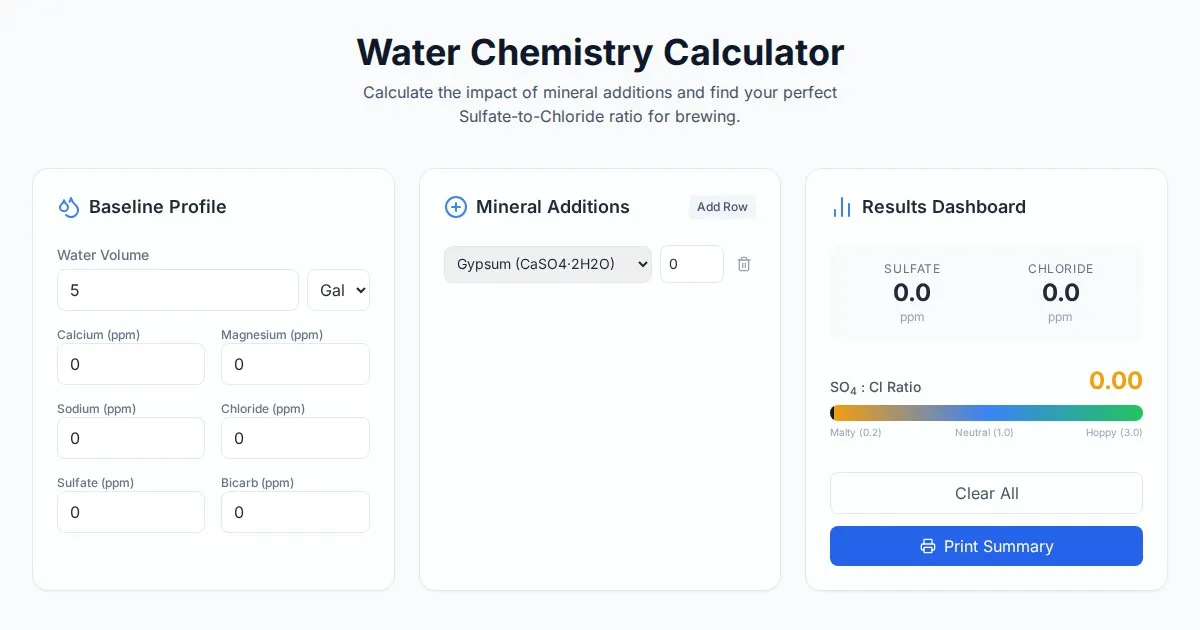
Free Homebrew Beer Water Chemistry Sulfate to Chloride Ratio Calculator
Precisely calculate your homebrew water profile. Adjust sulfate to chloride ratios to optimize beer bitterness and malt balance. Free, easy-to-use brewing tool.

Free Base64 Image Data URI to File Size Calculator
Accurately calculate the file size of Base64 encoded image data strings. This free, web-based tool helps developers estimate binary file sizes for web apps.
Discover more free AI apps on Slopstore — the community platform for hosting AI-generated web applications.