Free Genetics Pedigree Chart Creator & Inheritance Analyzer— gemini-3.0-flash
gemini-3.0-flashBuild professional genetic pedigree charts online with our free browser tool. Analyze inheritance patterns and generate accurate family tree diagrams instantly.
AI Generation Prompt
Genetics Pedigree Chart & Inheritance Analyzer
Overview
A specialized, browser-based utility for generating, editing, and analyzing genetic pedigree charts. This tool provides an interactive workspace to map family lineages, assign phenotypes (affected/unaffected/carrier), and identify potential inheritance patterns. The interface is built to be strictly light-themed, professional, and intuitive, adhering to standardized genetic diagramming conventions.
Core Features
- Interactive Canvas: A drag-and-drop workspace to add males (squares), females (circles), and define relationships (marriage/mating lines, sibling brackets).
- Phenotype Mapping: One-click toggles to mark individuals as 'Affected', 'Unaffected', or 'Carrier' (half-shaded).
- Automated Inheritance Logic: A diagnostic panel that analyzes the chart and identifies potential patterns (Autosomal Dominant, Autosomal Recessive, X-Linked, etc.) based on the structure.
- Standardized Nomenclature: Strictly follows symbols used in medical genetics (e.g., diamond for unknown sex, strikethrough for deceased).
- Export Capabilities: Export the completed diagram as a high-quality PNG or SVG file for documentation, or download the chart data as a JSON file for future imports.
UI/UX Specification
- Layout:
- Header: Contains the app name, clear/reset buttons, export tools, and an info toggle.
- Sidebar: Left-aligned vertical toolbar housing shape tools, selection tool, and style controls.
- Canvas Area: A centralized, responsive grid area that centers the pedigree tree and provides smooth panning/zooming.
- Analysis Panel: Right-aligned sidebar that dynamically displays the analysis results based on the currently drawn pedigree.
- Aesthetic:
- Palette: Pure white background (#ffffff), slate gray borders (#e2e8f0), primary blue accents (#2563eb), and semantic colors for inheritance (success green, warning amber, error red).
- Typography: Sans-serif, clean font (e.g., 'Inter' or system defaults) for maximum readability.
- Transitions: All UI elements use 200ms ease-in-out transitions for smooth state changes (e.g., opening the analysis panel, toggling node states).
Technical Constraints & Directives
- Architecture: Must be a single index.html file. All CSS and JS must be embedded or referenced via secure CDN links.
- Storage: STRICTLY NO localStorage, sessionStorage, or IndexedDB usage. All data persistence must be done via user-triggered exports (JSON files).
- Compatibility: Fully responsive design. Must handle resizing of the canvas smoothly without breaking the pedigree structure.
- Sandboxing: Do not use alert(), prompt(), or confirm(). Use custom-built modal windows for all user interactions (e.g., naming an individual).
- Styling: Forced light-mode only. No dark mode CSS variables or toggles.
Spread the word
gemini-3.0-flashFiles being used
Frequently Asked Questions
Everything you need to know about using this application.
What is a pedigree chart and why is it used?
A pedigree chart is a visual diagram that maps the occurrence and appearance of phenotypes of a particular gene or organism and its ancestors from one generation to the next. It is widely used by geneticists and medical professionals to track the inheritance of traits or diseases through a family lineage. By visualizing these relationships, researchers can determine whether a trait is inherited via autosomal dominant, autosomal recessive, X-linked, or Y-linked patterns. This tool simplifies the process of manual drafting, allowing for clear, academic-standard visualizations.
How does the inheritance pattern analysis feature work?
The inheritance analysis feature evaluates the connections and phenotype shading present in your diagram. It checks for specific logical contradictions, such as the presence of an affected child from unaffected parents in a dominant trait, to suggest the most probable mode of inheritance. While the tool provides statistical suggestions based on classic Mendelian genetics, it should be used for educational or planning purposes only. It acts as a guide to verify if a pedigree structure logically supports specific inheritance hypotheses.
Can I save my pedigree charts using this tool?
Since this application operates entirely within your browser for privacy and security, it does not use server-side storage or browser-based persistence like local storage. You can save your work by using the 'Download as Image' or 'Export as JSON' buttons to store the data on your own computer. This architecture ensures that your data never leaves your machine unless you explicitly choose to export it. To continue a project later, simply use the 'Import JSON' function to reload your previously exported file into the editor.
Is this tool suitable for academic or professional use?
Yes, this tool is designed with a clean, professional aesthetic suitable for creating figures for research papers, homework assignments, or classroom presentations. It follows standard pedigree nomenclature, including the use of circles for females and squares for males. Furthermore, the output is rendered in high-resolution, allowing you to easily capture or export clear, crisp diagrams. The design avoids cluttered interfaces, ensuring that the focus remains entirely on the genetic data and the clarity of the pedigree structure.
Related Applications

Free Jump Rope Mat Impact Attenuation & Density Calculator
Use this free online calculator to determine jump rope mat impact attenuation and material density. Safely assess if your workout flooring protects your joints.

Free Base64 Image Data URI to File Size Calculator
Accurately calculate the file size of Base64 encoded image data strings. This free, web-based tool helps developers estimate binary file sizes for web apps.

Free Online Color Blindness Simulator & Image Filter Tool
Easily simulate color vision deficiencies like protanopia, deuteranopia, and tritanopia. Upload images to test design accessibility for color blindness.
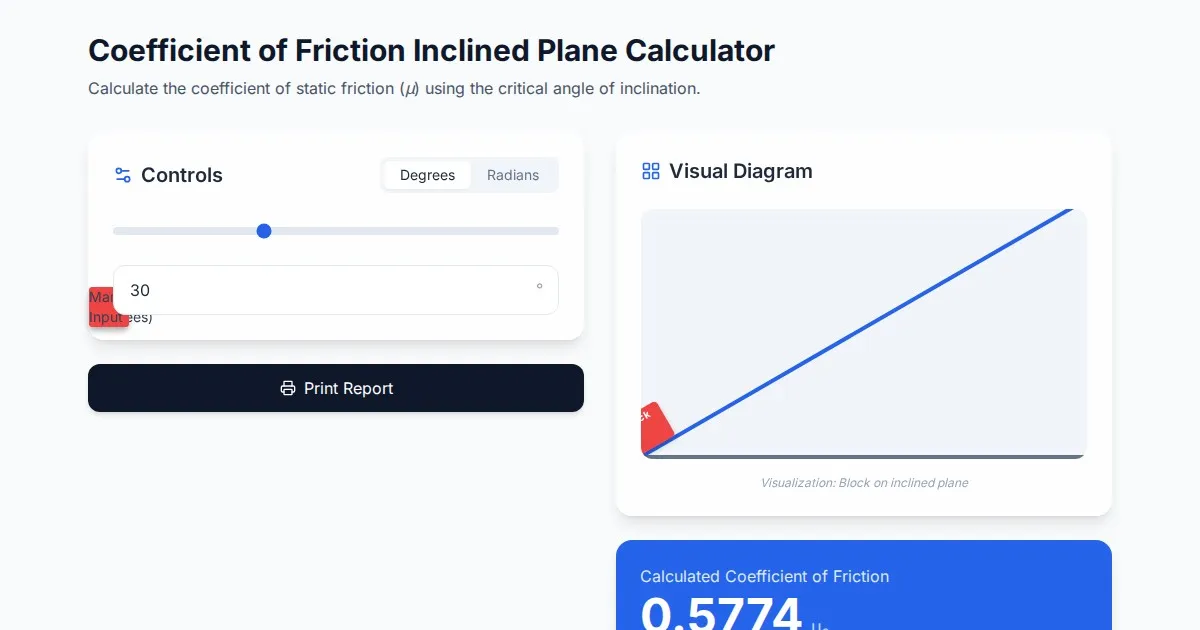
Free Coefficient of Friction Inclined Plane Calculator
Calculate the coefficient of friction using the angle of inclination. An essential physics tool for students and engineers. No installation, instant results.
Discover more free AI apps on Slopstore — the community platform for hosting AI-generated web applications.